
lmarena ai官网入口。lmarena怎么生成手办?经常刷小红书的朋友一定看到最近很多博主,都在发自己个人专属3d手办模型,这是怎么制作出来的呢?其实这是通过最新的ai大模型,轻松就能实现,跟着小编一起看看吧!
lmarena ai官网:https://lmarena.ai/ 需要注意的是,这个网址得科学上网才能进入哦
1、在6ll下载imarena.aiapp,或者打开LMArena网址https://lmarena.ai/
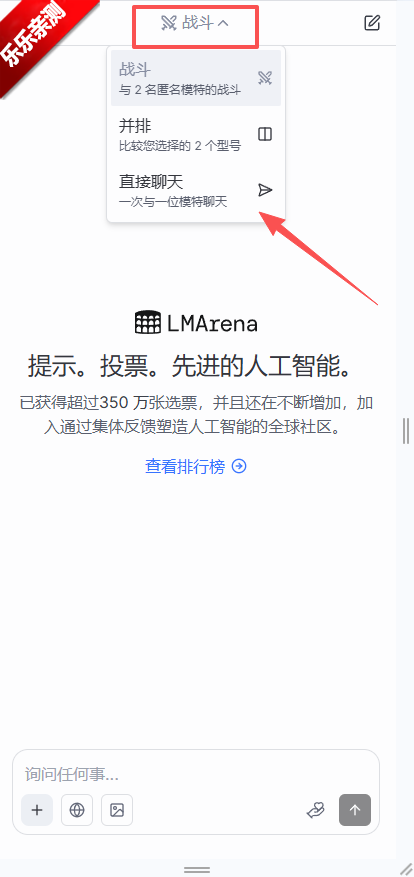
2.点击图片模式,并且上传想要转化的图片
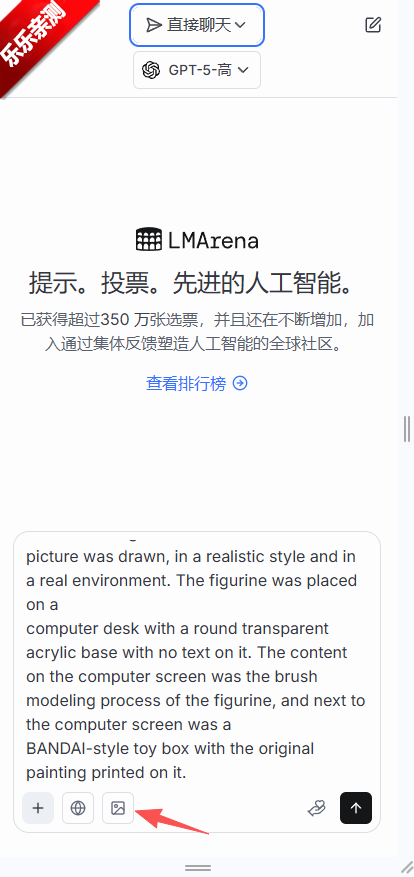
3.输入提示词:
Use the nano-banana model to create a 1/7 scale commercialized figure of thecharacter in the illustration,in a realistic styie and environment.Place the figure on a computer desk,using a circular transparent acrylic base without any text.On the computer screen,display the ZBrush modeling process of the figure.Next to the computer screen,place a BANDAl-style toy packaging box printedwith the original artwork.
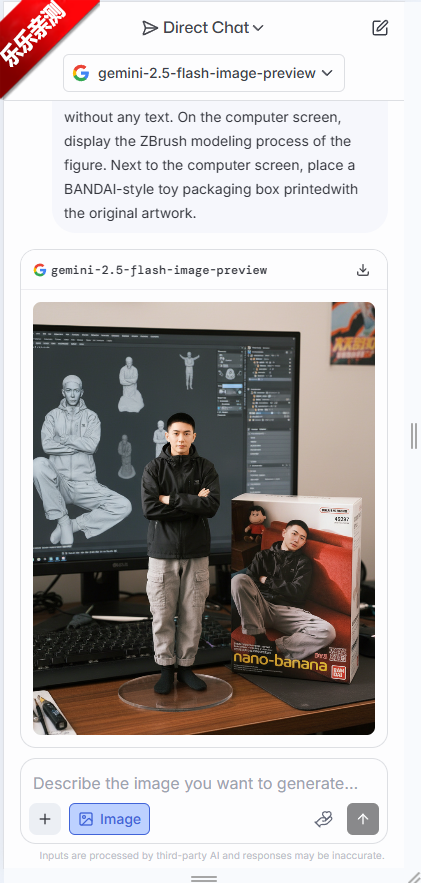
4.点击右边剪头上传,开始生成AI手办
LMArena是加州大学伯克利分校推出的创新AI模型评估平台,基于让用户对不同AI模型的回答进行匿名投票,衡量模型的表现。用户输入问题后,平台提供两个模型的回答,用户根据偏好选择更优答案,投票结果直接塑造公共排行榜。LMArena已帮助测试众多实验室的专有和开源模型,包括预发布版本。LMArena推动了AI模型的透明化评估,促进了社区对AI发展的深度参与和理解。

囧次元下载入口在哪 囧次元最新版安装教程
发布时间:2026-06-23
sayloai登录失败解决方案 sayloai有违禁词了吗
发布时间:2026-06-23
Pinterest干什么的 Pinterest app使用技巧
发布时间:2026-06-22
AI版支付宝怎么用 AI版支付宝邀请码在哪获取
发布时间:2026-06-18
the phenomenon安卓和ios能一起玩吗 the phenomenon联机教程详细步骤
发布时间:2026-06-10
小米龙虾如何在OpenClaw启用 小米龙虾如何导入配置
发布时间:2026-04-29
OpenClaw龙虾ai是干嘛的 OpenClaw龙虾机器人玩法教程
发布时间:2026-03-09
AI龙虾OpenClaw本地部署教程 AI龙虾模型使用教程
发布时间:2026-03-09































选择头像: